
Windows and Mac keyboards differ in multiple ways that can confuse users and complicate development of cross-platform applications, according to a comprehensive reference guide.
Key naming differences
The platforms use different terminology for the same physical keys. What Windows calls Backspace, Mac calls Delete. Windows’ Delete key is known as Forward Delete on Mac. Similarly, Windows uses Enter while Mac uses Return, though Macs also have an Enter key on the numeric keypad. On keyboards without a physical Enter key, Mac users can simulate it via Fn+Return.
Third-party keyboards typically use Windows terminology—Backspace and Enter—rather than Mac conventions.
Modifier key variations
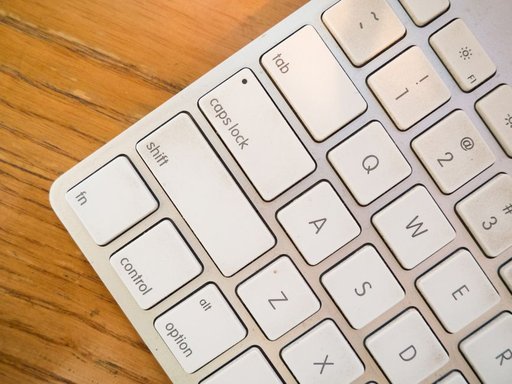
The most significant difference lies in modifier keys. Windows offers Control, Alt, and Shift, while Macs provide Command, Option, Control, and Shift. This gives Mac users one additional modifier key, creating more keyboard combination possibilities. On Windows, Control (Ctrl) is the primary modifier used for shortcuts like Ctrl+V for paste, while on Mac, Command (⌘) serves this role, with ⌘V pasting text.
Symbol versus text legends
Apple keyboards rely heavily on symbols—⇧ for Shift, ⌃ for Control, ⌥ for Option, ⌘ for Command, and ⏎ for Return—though inconsistently applied. Windows keyboards typically display full words: Shift, Ctrl, Alt, and Enter. In some countries, Windows legends are translated; for example, Ctrl appears as Strg in Germany.
When showing keyboard shortcuts, Windows uses plus signs (Ctrl+Shift+G), while Mac glues symbols together (⌘⇧G).
Character access
Mac provides a built-in system for accessing additional characters: pressing Option with printing keys outputs special symbols. For instance, Option+Q produces œ, and Option+7 produces ¶. These assignments vary by keyboard location and language, potentially conflicting with shortcuts in text fields.
Windows lacks this feature but offers an alternative: typing Alt plus numeric keypad codes allows character entry (Alt+0128 produces €, with Num Lock enabled). Mac users can access a similar feature through the Unicode Hex Input keyboard.
Right Alt key behavior
On many non-US Windows keyboards, the right Alt key functions as AltGr, producing letters when combined with printing keys—similar to Mac’s Option key. This feature doesn’t exist on Mac keyboards, which maintain symmetrical modifier keys.
Function key usage
Both platforms have function keys, but with different conventions. Windows traditionally reserves F-keys for system and application shortcuts (Alt+F4 closes apps, F12 opens developer tools). Macs historically reserved function keys for user control, though this practice is declining. Some Mac keyboards extend beyond F12 up to F19.
Key facts
- Windows calls Backspace; Mac calls it Delete
- Mac has four modifier keys (Command, Option, Control, Shift); Windows has three (Control, Alt, Shift)
- Mac keyboards use symbols (⌘, ⌥, ⇧); Windows keyboards use text (Cmd, Alt, Shift)
- Mac’s Option key accesses special characters; Windows uses Alt+numpad codes
- Shortcuts display as Ctrl+C on Windows but ⌘C on Mac